
CHATGPT · WEB · GITHUB · QA · Punta del Este · Maldonado
How to improve an existing website with ChatGPT: from analysis to a published change
This is not about asking AI to invent a website from scratch. It is about giving it context, controlled access to code and a review process for improving a site that already exists.
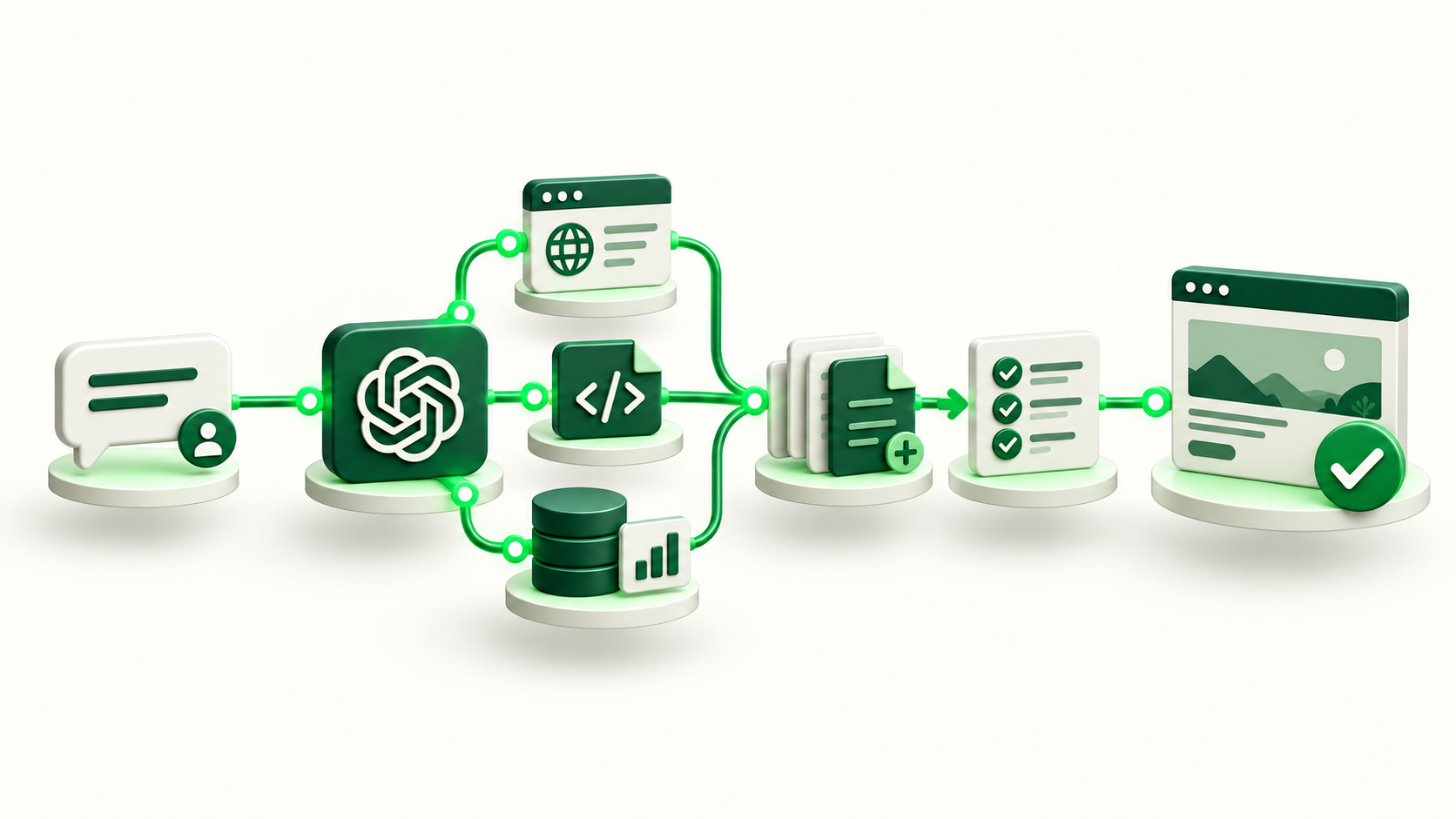
Editing a website with ChatGPT is not the same as blindly pasting generated code
The most fragile AI workflow is to request a block of code, paste it into production and hope it works. That may be enough for a tiny experiment, but it does not create a reliable maintenance system.
For an existing website, the first question is what problem we are solving. A service may be hard to find, a page may not convert, technical SEO may have gaps or a repetitive change may still depend on one person. ChatGPT can translate that need into technical work when it has the right context.
The difference is the loop: observe, locate the code, propose the change, modify, test, review, publish and verify. AI can participate across those stages; Git, tests, hosting and human decisions put boundaries around that participation.
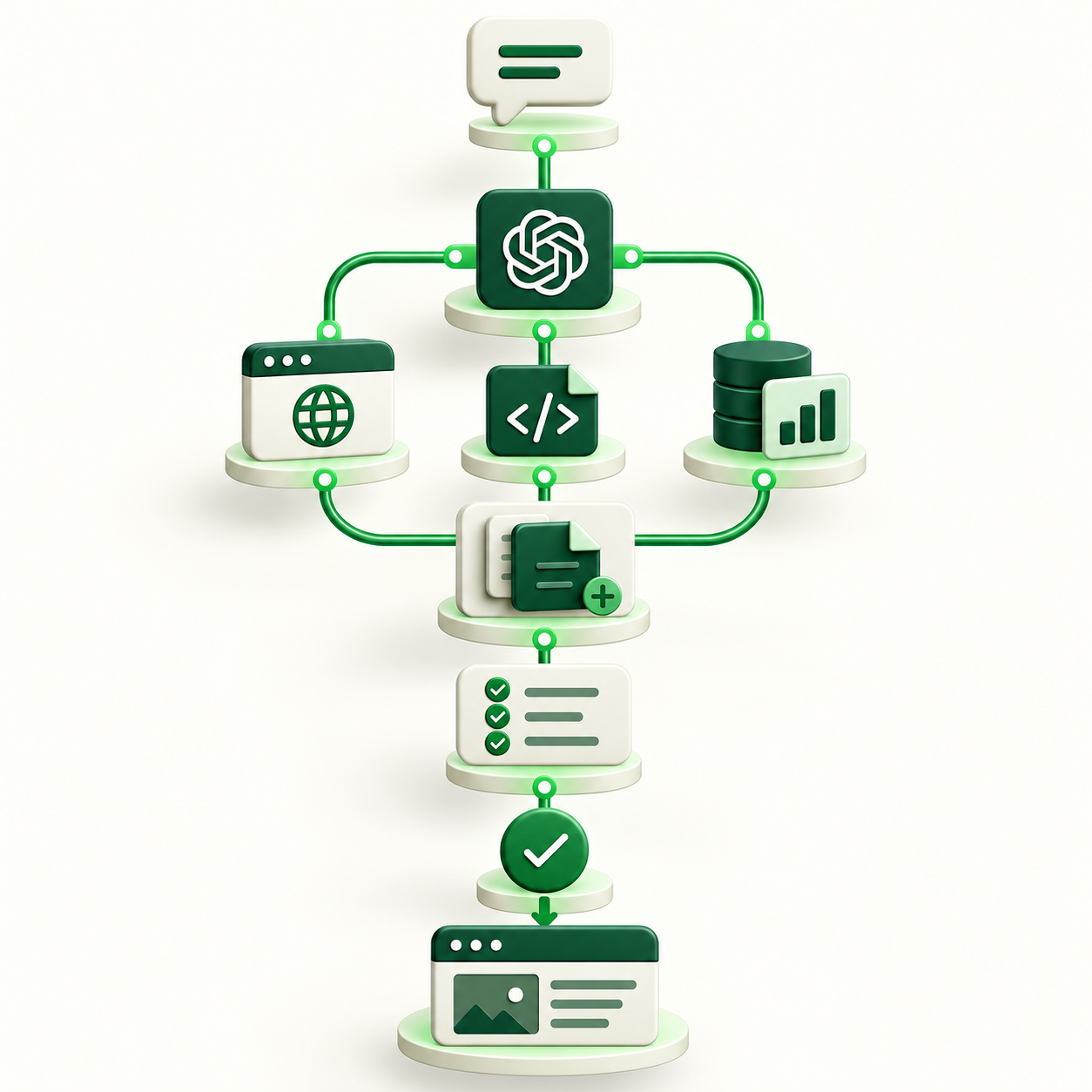
The working system: ChatGPT at the center, but never working alone
A conversation can become the interface from which a person directs the work. From there, the public website can be inspected, documentation can be consulted, an authorized repository can be read and a development task can be organized. The conversation does not replace the other layers.
Production shows what the customer sees. GitHub keeps code and history. Tests protect rules we do not want to break. Hosting turns an approved version into production. Search Console and Analytics can later show changes in visibility or behavior.
This separation matters because it avoids a false sense of autonomy. If ChatGPT does not have a source, permission or tool, it should request context or stop. The workflow is stronger when each system has one clear responsibility.
- ChatGPT: analysis, coordination and natural-language interaction.
- Git repository: code, versions, history and rollback.
- Tests and QA: rules that must keep passing.
- Hosting: preview, build and deployment.
- Data: Search Console, Analytics and business signals.
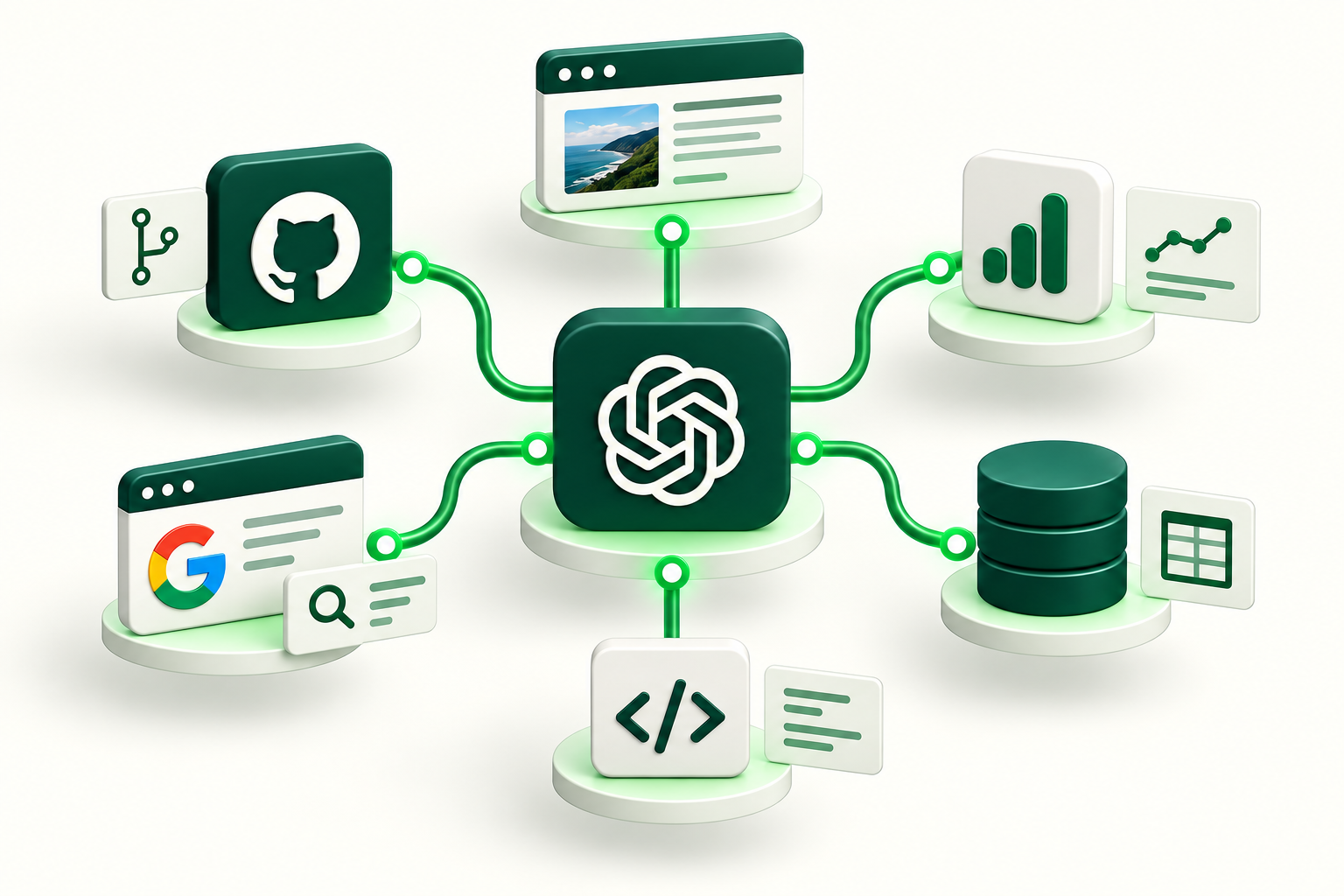
Start by looking at the live site the way a customer does
Before opening the repository, inspect production. The first question is not which file to edit, but what is happening in the real experience: what the first screen communicates, how navigation works, which pages exist, where contact paths lead and which important information may be hidden.
This review turns a vague request into a testable task. “Improve the website” is too broad. “Expose four services from the homepage without duplicating content or breaking mobile navigation” defines a problem that can be verified.
Keeping the initial state makes the final check possible. If we know the previous menu, existing routes, visible content and intended change, we can return to production and verify exactly what moved.
- 01
Open the public site and review it on desktop and mobile.
- 02
Identify the problem from the user or business perspective.
- 03
Turn the observation into a small, verifiable change.
- 04
Define what must not break during implementation.
Then enter the repository: the difference between seeing a website and understanding it
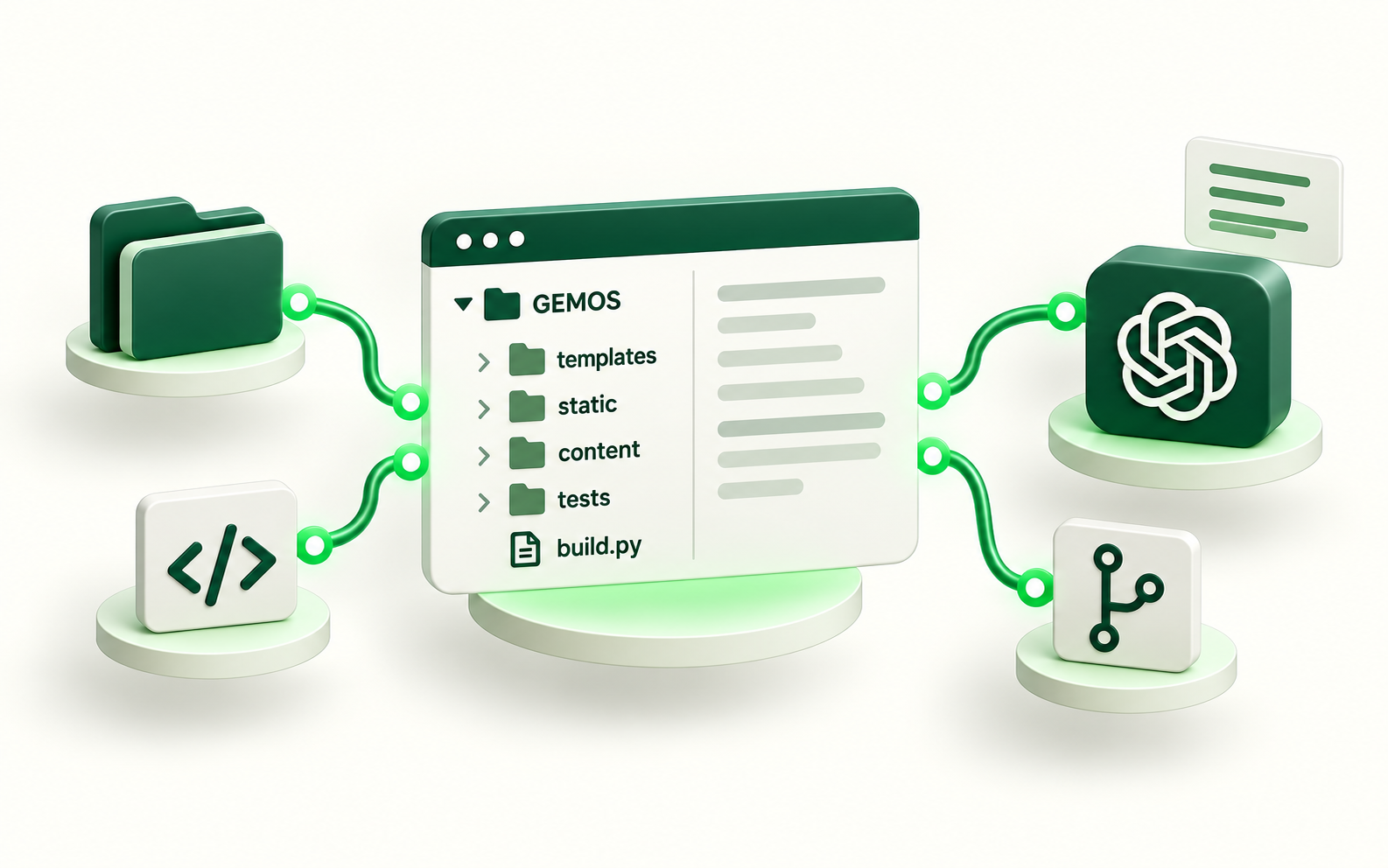
A URL lets you analyze the output, but it does not fully explain how that output was built. The repository contains templates, styles, content, scripts, routes, tests and configuration. That architecture determines which file should change and what side effects to expect.
OpenAI documents that when GitHub is connected, ChatGPT can retrieve authorized repository content on demand, including code and documentation. Exact availability depends on plan, workspace and product surface, so access should be verified before a workflow depends on a specific integration.
The principle matters more than the provider: the model should work from the correct version of the code, not an old copy pasted into a chat. It should also be explicit which repositories can be read or modified and which remain out of scope.
- Choose the correct repository and branch.
- Do not place API keys, secrets or credentials in context files.
- Read the README, structure and project rules before editing.
- Limit access to the repository and actions the task requires.
Reference: OpenAI · Connecting GitHub to ChatGPT
Turn a business need into a concrete diff
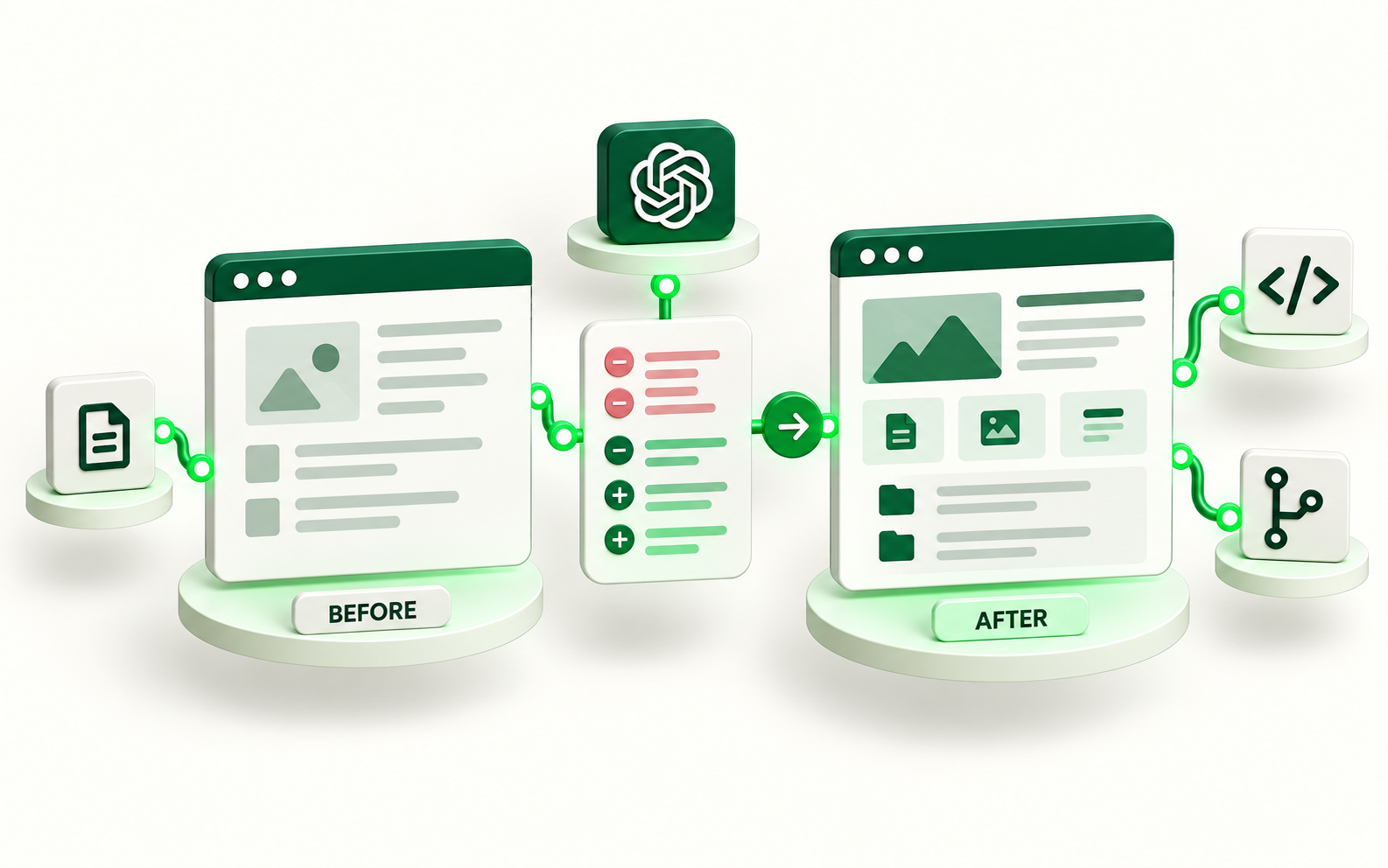
Once the architecture is understood, the task becomes files and changes. If the problem is that new services are hard to find from the homepage, analysis can identify the home template, navigation, routes and relevant tests. Instead of rebuilding the site, only the necessary pieces are changed.
Codex can work with connected repositories in development environments and prepare code changes. A useful brief is not “do whatever you think is best”; it defines the problem, boundaries, rules to preserve and the evidence expected at the end.
A diff also has commercial value: it makes the work visible. A reviewer can see what was removed, what was added and why before the proposal becomes a new public version.
A broad instruction creates uncertainty. A bounded, reviewable and reversible change creates a working system.
Reference: OpenAI · Codex cloud
QA before publishing: what separates a demo from operations
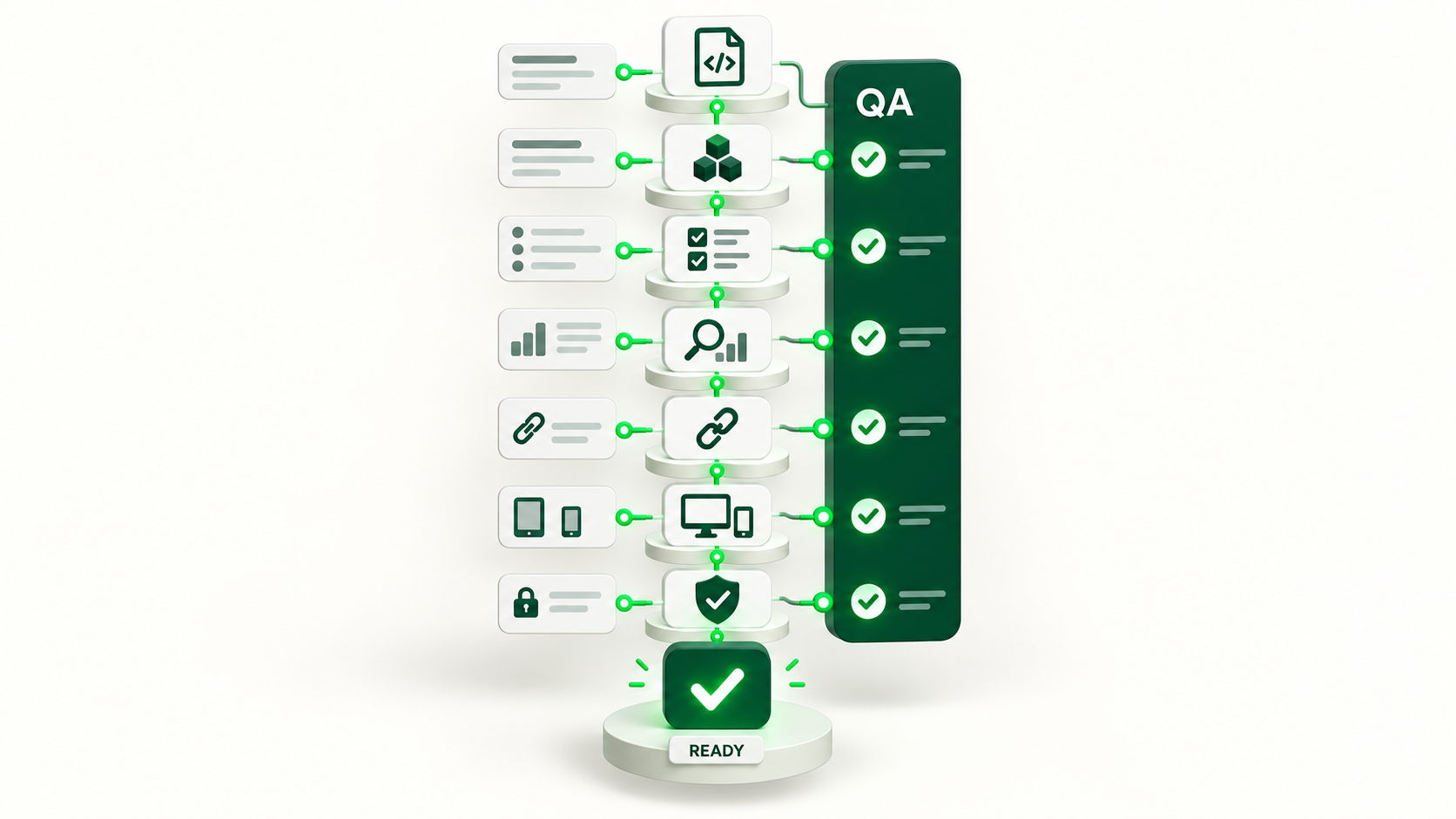
A code change does not mean the job is done. Before production, confirm the site still builds, routes respond, navigation works and relevant SEO or security rules remain intact.
GitHub Actions can automate workflows triggered by repository events. For a website, that can include tests, builds, HTML checks, canonical validation, robots and sitemap rules or any condition the project can express automatically.
Not everything belongs in automated tests. Visual and editorial QA still matters: headings, hierarchy, mobile layout, spacing, copy and the real contact journey require judgment. Automate the repeatable checks and keep the judgment calls visible.
- Reproducible build.
- Automated tests.
- Critical routes and links.
- Metadata and SEO rules.
- Visual and mobile review.
- Approval before production.
Reference: GitHub Docs · GitHub Actions
Controlled deployment: from an approved commit to the public site
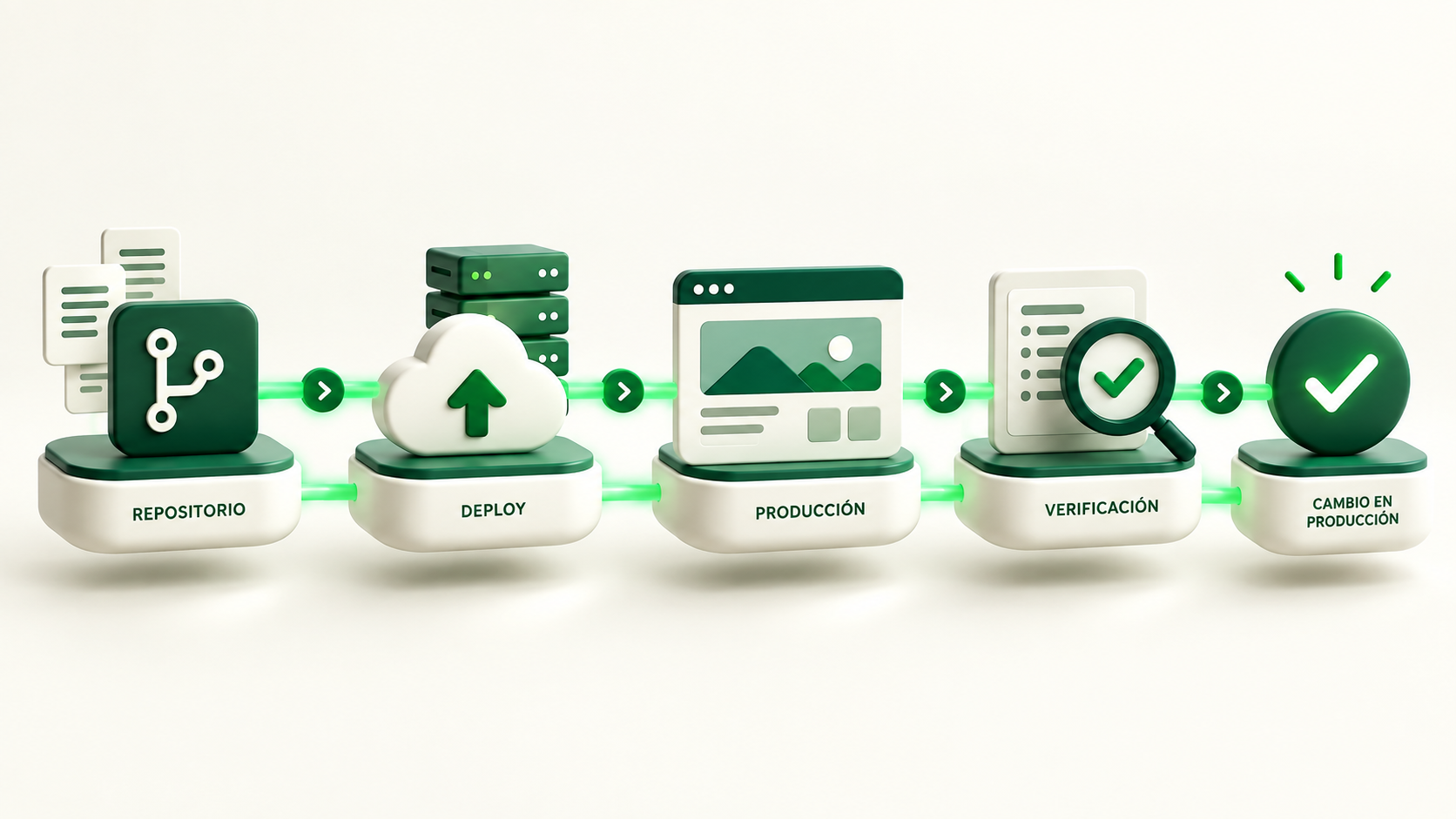
When a repository is connected to hosting, an approved change can trigger a build and deploy without manually uploading files. Cloudflare Pages, for example, documents Git repository integration for deploying projects from configured commits and branches.
Preview and production should remain separate. Preview is where a version can be inspected before it becomes public; production should point to the agreed branch and configuration. This boundary reduces the risk of publishing a test, a noindex build or a version that was not approved.
After deployment, return to the public URL. A commit is not treated as the outcome: verify the menu, pages, links, metadata and every condition defined at the start.
- 01
Commit or pull request with a reviewable change.
- 02
Automated build and QA.
- 03
Preview when human inspection is required.
- 04
Deploy the approved version.
- 05
Verify the public URL.
Reference: Cloudflare Docs · Pages Git integration
Which permissions we grant—and which we do not
A safer AI workflow separates capability from authority. The system may analyze more than it can modify, and it may prepare more than it can publish. That distinction creates speed without turning every integration into a master key.
For an initial workflow, keep scope to the specific repository, exclude secrets from code, review sensitive changes and keep production behind tests or approval. A system that can write code should not automatically receive DNS, billing, database or credential access if the task does not need it.
Read and write access are also different. Reading may be enough for an architecture audit. Implementation may justify write access to a branch or a defined workflow. Permissions should expand only when the process has shown that changes can be reviewed and recovered.
The goal is not to give AI total access. It is to give it the minimum access required to complete a verifiable task.
Measurement comes after the change: SEO, behavior and business
A technically correct website may still fail to solve the reason the change was requested. If the objective was discovery, look at pages, queries, impressions and clicks. If it was conversion, look at contact attempts, received inquiries and the quality of those inquiries.
Search Console provides search performance data across queries, pages and periods. That can help prioritize improvements, but a movement is not automatically proof of causation. A title, architecture or internal-linking change should be compared with a baseline and with other conditions that may also have changed.
The same principle applies to continuous maintenance. Do not choose the next task only because AI can perform it. Choose it because there is an observable friction and a signal that would reasonably move if the intervention helps.
- Visibility: impressions, queries and pages.
- Entry: clicks and CTR when relevant.
- Experience: navigation, errors and contact journeys.
- Business: qualified inquiries, proposals or the agreed signal.
Reference: Google Search Console · Performance report
Example: expose new services without rebuilding the entire site
Imagine a company has just published four commercial service pages. The pages exist and can be indexed, but they are difficult to reach from the homepage. The business need is simple: visitors should understand the services and reach them without knowing the URLs.
The workflow starts by reviewing the homepage and navigation. Then the repository is used to identify which template renders those areas and which tests protect their structure. A small change is prepared: rename a navigation item if it improves clarity, add four visible links and preserve the existing routes.
The change is tested. If a check finds that the homepage exceeds a limit, breaks a rule or drops a route, it is corrected before deployment. Once QA is green, the version is published and production is checked again. The verifiable result is not “AI improved the business”; it is that the services are now reachable from the agreed surfaces while the site still passes its controls.
- 01
Problem: commercial pages are hard to discover.
- 02
Diagnosis: homepage and navigation do not expose them clearly enough.
- 03
Change: direct links and a navigation adjustment.
- 04
Control: build, tests, SEO and visual review.
- 05
Evidence: production exposes the new routes without breaking existing ones.
The end goal is a continuous improvement loop, not a collection of prompts
Once the workflow exists, each improvement starts with more context than the previous one. The repository keeps history, tests remember rules, the public site shows current state and data helps identify where an opportunity exists.
ChatGPT can be a convenient interface for directing that loop: explain a friction, investigate, locate the code, prepare a solution and verify it again. The durable advantage lives below the conversation: reliable sources, permissions, Git, QA, deployment and measurement.
That is the approach we recommend for a business that wants to move faster without losing traceability. Do not automate everything at once; turn one concrete improvement into a loop that can be repeated.

Frequently asked questions
Can ChatGPT modify an existing website?
Yes, when it has the right context and access. It can inspect the public site and, with authorized repository or development access, help locate and implement changes. Exact capabilities depend on the available tools and permissions.
Do I need GitHub?
GitHub specifically is not required, but version control is strongly recommended. GitHub is practical because it combines repository history, review and automation; other Git providers can play the same role.
Can ChatGPT publish the website automatically?
It can participate in a workflow where an approved change triggers deployment, but preparation, QA and production should remain distinct. Sensitive releases should stay behind explicit rules or approval.
Does this replace a developer?
Not necessarily. It reduces coordination and accelerates many tasks, but architecture, security, complex integrations and product decisions still need judgment. On small projects it can remove a great deal of manual work; on complex projects it works best as part of the team.
Is it safe to connect a repository to AI?
It can be, when permissions are minimal, secrets are excluded, scope is limited and available actions are reviewed. The connection should not grant access to tools or credentials the task does not require.
Can this workflow improve SEO?
Yes. It can make architecture, content, internal linking, metadata and performance improvements easier to identify and implement systematically. Rankings depend on many factors; using AI does not guarantee positions.
Sources and references
- OpenAI · Connecting GitHub to ChatGPT
- OpenAI · Codex cloud
- GitHub Docs · GitHub Actions
- Cloudflare Docs · Pages Git integration
- Google Search Console · Performance report
Operating examples are illustrative. References support search-related guidance; they do not certify GEMOS results.